Bad actors are exploiting a feature in Office 365 called Direct Send, which is meant to allow devices like Multifunctional Printers (MFP) to send from an accepted domain in Office 365 without authentication. We've noticed that this feature is allowing these bad actors to send spoofed messages directly into the Office 365 tenant, bypassing the spam filter. To prevent this, we recommend turning on the Reject Direct Send feature, which should stop these from coming through, but before doing that, you would need to make sure the SPF/DKIM/DMARC record is accurate with the most up-to-date information as far as IP addresses (including the MFP) and keys are concerned.
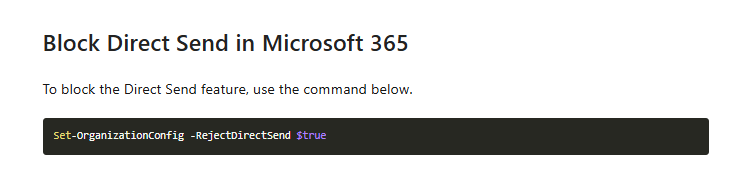
By default, the new opt-in RejectDirectSend setting is set to False. To enable the Reject Direct Send feature, Exchange Online administrators can run the following PowerShell cmdlet:
Set-OrganizationConfig -RejectDirectSend $true
The change should propagate out to our entire service within 30 minutes. With the feature enabled, any received Direct Send messages will see the following message:
550 5.7.68 TenantInboundAttribution; Direct Send not allowed for this organization from unauthorized sources
Unless Direct Send is re-enabled again, any messages that hit this error will need a partner connector created to authenticate their source as an approved sender.
You can verify the status of Reject Direct Send by typing in the following command:
Get-OrganizationConfig | Select-Object Identity, RejectDirectSend
and the output should be set to true

More information on this can be found in the following articles by Microsoft:
https://techcommunity.microsoft.com/blog/exchange/what-is-direct-send-and-how-to-secure-it/4439865
https://techcommunity.microsoft.com/blog/exchange/introducing-more-control-over-direct-send-in-exchange-online/4408790
If you couple turning on this feature with creating a connector, it should reject messages from an Accepted Domain in Office 365 from an external source and it will only accept messages coming from the spam filter. You can also include the IP address for an MFP if it's being used in this connector as well.
Below is a link to instructions on how to create a connector to only accept messages from the spam filter, depending on the filter you have with us:
VIPRE Email Security:
https://excelmicro.kayako.com/en-us/article/990-office-365-lockdown-for-vipre-email-security
Mimecast:
https://excelmicro.kayako.com/en-us/article/1004-microsoft-365-mail-lockdown
Proofpoint Essentials:
https://excelmicro.kayako.com/en-us/article/1006-locking-down-office-365-to-proofpoint-essentials
Hien T
Comments