Steps
1. Run CMD as administrator
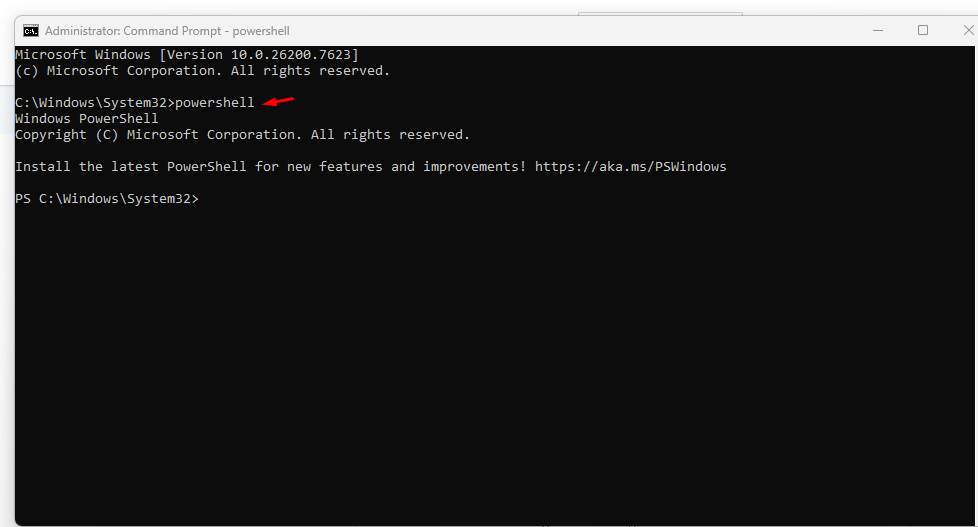
2. Run command to launch PowerShell:
powershell
3. Run PowerShell commands:
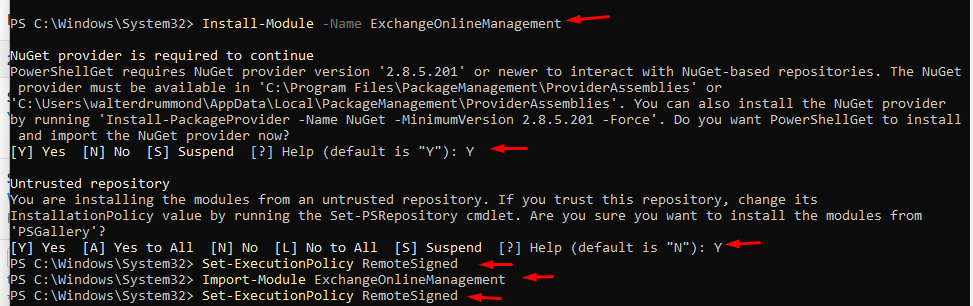
Install-Module -Name ExchangeOnlineManagement
Set-ExecutionPolicy RemoteSigned
Import-Module ExchangeOnlineManagement
Set-ExecutionPolicy RemoteSigned
Note: Answer Y (Yes) to any of the questions when prompted
4. Run PowerShell command:
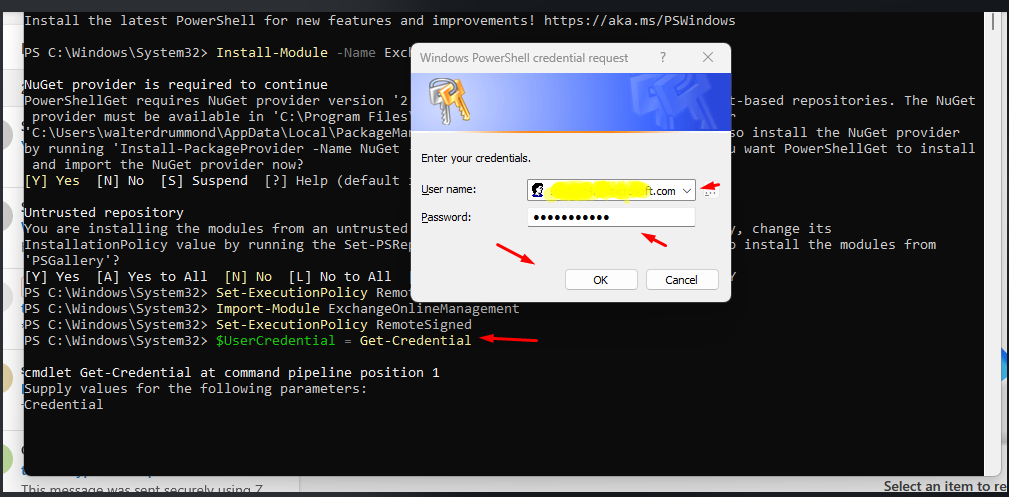
$UserCredential = Get-Credential
5. A window will launch; put in your Exchange Online admin credentials.
6. Run PowerShell command:
Connect-ExchangeOnline
7. Your Exchane online admin portal will launch, put in your Exchange online admin credentials
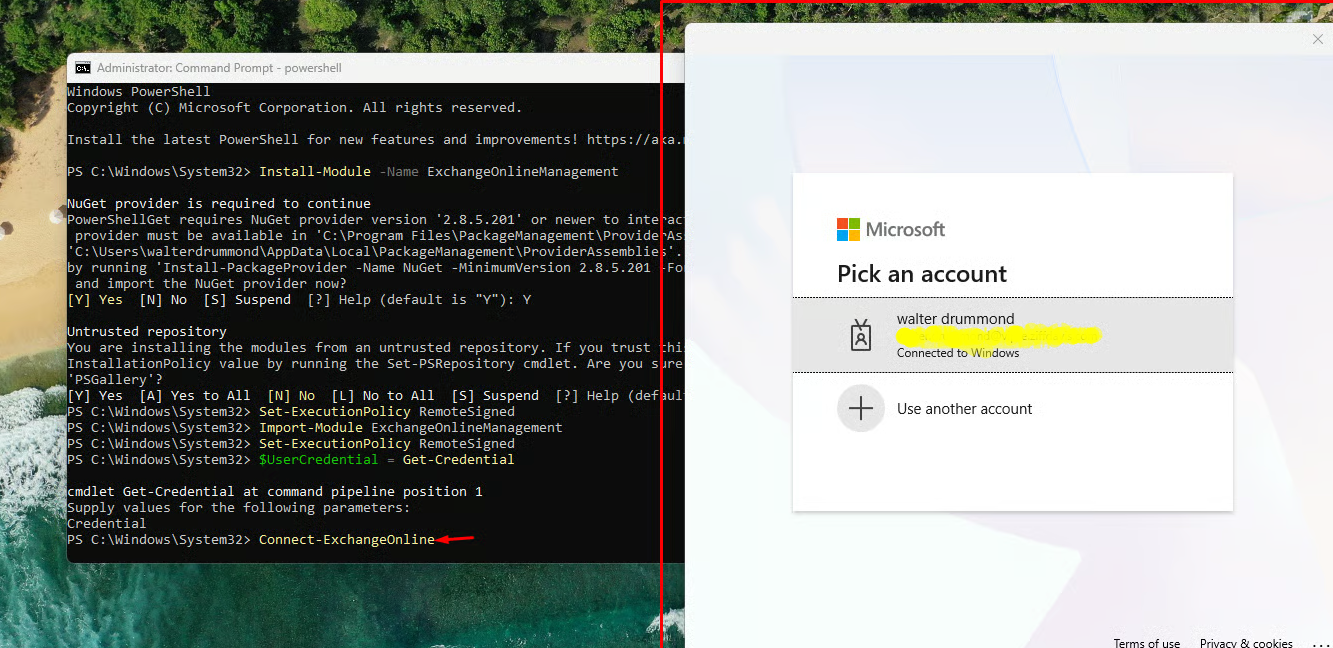
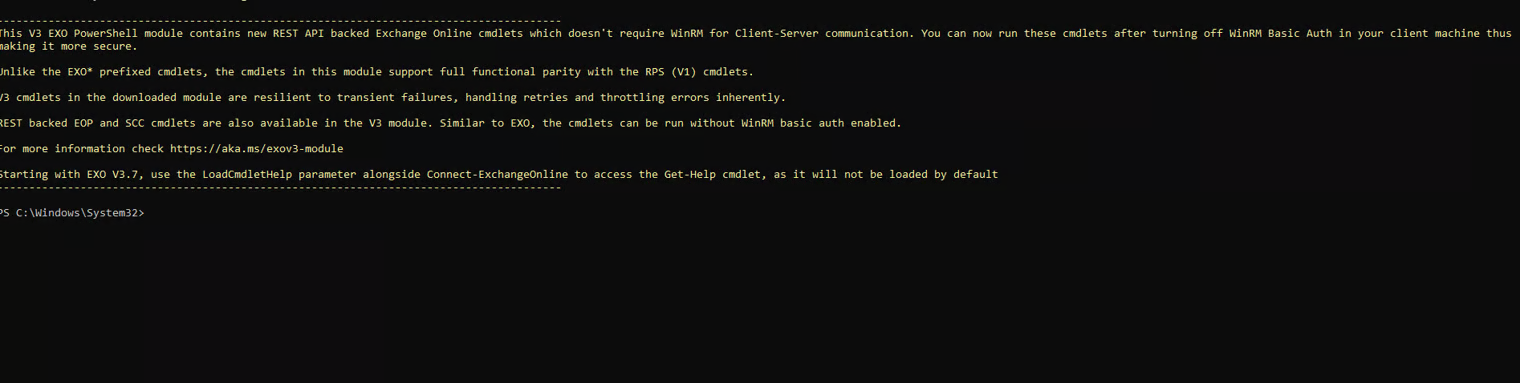
8. You will see a message in PowerShell showing Exchange Online is connect to PowerShell.
Walt Drummond
Comments